What is a tally counter? How it works and what it is for.
A tally counter is a hand-held clicker that adds one each time you press it. How mechanical and digital ones work, how to reset them, and who uses them.
A tally counter is a small device that adds one to a number each time you press its button. The classic kind is a metal clicker with a four-digit window and a reset knob. Digital ones show the count on a small screen, and many are worn on a finger. A phone app does the same job with a tap.
People use them for things that pass too quickly to write down: people at a door, cars at a junction, animals on a survey, prayers, rows of knitting. Your thumb keeps the count, so your eyes can stay on whatever you are counting.
How a mechanical tally counter works
A mechanical tally counter is usually a metal cylinder that fits in your palm. One side is flattened and has a small window with four digits. Three parts do all the work:
- The button on top. Each press with your thumb adds one.
- The reset knob on the side. Turning it brings the count back to 0000.
- The ring underneath, for a finger to hold the counter steady. It folds flat when you are not using it.
Behind the window sit four number wheels, each printed with 0 to 9. A press turns the first wheel one step. When that wheel passes 9, it returns to 0 and moves the next wheel along, so 0009 becomes 0010, the way an old car odometer rolls over. Four wheels let it count to 9999, as Wikipedia’s article on the tally counter describes. What the next press does after 9999 depends on the model, so write the number down well before you get there.
The common one-button kind only adds. It has no way to take a click back, so an extra press stays in the count unless you remember it and subtract it yourself at the end.
Digital tally counters
A digital tally counter shows the count on a small LCD screen instead of wheels. It has a button to count and a button to reset, and some models add a third button to subtract, for the times you press once too often. Layouts differ from model to model, so check the leaflet that came with yours before you trust the reset.
Many digital counters are made to be worn like a ring, with the count button under your thumb. They are sold widely for prayer counts such as jaap and tasbeeh, because you can count without holding anything or looking down.
A digital counter needs a battery. A mechanical one never does.
Other kinds of tally counter
- Knitting row counters. A small counter made for rows and pattern repeats that sits on a needle or beside the pattern.
- Dial counters. Two discs turned by hand, used in board games for scores, life points or turns.
- Phone apps. A counter on the screen that you tap, often with several counts at once and a record of when each tap happened.
What tally counters are used for
The most common use is counting people as they come and go. At a concert or a stadium, someone stands by the door and clicks once for every person who enters. At an amusement park, an operator counts riders against what the ride can hold. The same habit works anywhere one person has to keep a running number:
- People through a door, for capacity, attendance or a tour group. See how to count people through a door.
- Traffic, one click per vehicle that crosses a line. See how to do a manual traffic count.
- Stock, shelf by shelf. See how to count inventory with your phone.
- Units off a line, or loads leaving a site. See how to keep track of truck loads.
- Animals and field research, where you count what passes during a fixed watch.
- Prayers and mantras, often in place of beads, in Buddhist, Hindu, Muslim and Sikh practice. See how to use a tasbeeh counter and how to use a japa counter.
- Knitting rows. See how to keep track of knitting rows.
- Board-game scores, with a dial counter or one clicker per player.
For fifteen jobs and the counter setup each one needs, see tally counter uses: 15 things worth counting.
How to count without losing the number
A tally counter is simple, and so are the mistakes people make with it. Most of them happen before the first click or after the last one.
- Decide what counts before you start. One click per person who crosses the threshold, per car that passes the line, per finished row. Two people counting “visitors” in different ways will get two different numbers.
- Reset at the start. Check that the window reads 0000 before the first click. Then the number you need is still there at the end.
- Write the number down before you reset. A mechanical counter has no memory. Once the knob turns, the count is gone.
- Use one counter per number. To count people in and out of a room, use two clickers, one for each direction, and subtract at the end.
- Keep your fingers off the reset. Hold the counter so the knob or reset button faces away from your hand. One knock against a pocket or a table can clear an hour of counting.
Clicker, digital counter or phone
Each one is good at something different.
| Mechanical clicker | Digital counter | Phone app | |
|---|---|---|---|
| Power | None | Battery | Phone battery |
| Count by feel, without looking | Yes | Yes | With the volume buttons, while the counter is open |
| Take one back | No | Some models | Yes |
| More than one number | One clicker per number | One device per number | Many named counters |
| When each count happened | No | Usually not | A time on every tap |
| Hand the count to someone else | Read it out or write it down | Read it out or write it down | Export to a spreadsheet |
A clicker is the better tool when you count by feel for a long stretch, wear gloves, or would rather not hold a phone. It costs little and never needs charging. A phone is better when you need more than one number, want to fix a mistaken click, or have to show afterwards what you counted and when.
Using your phone as a tally counter
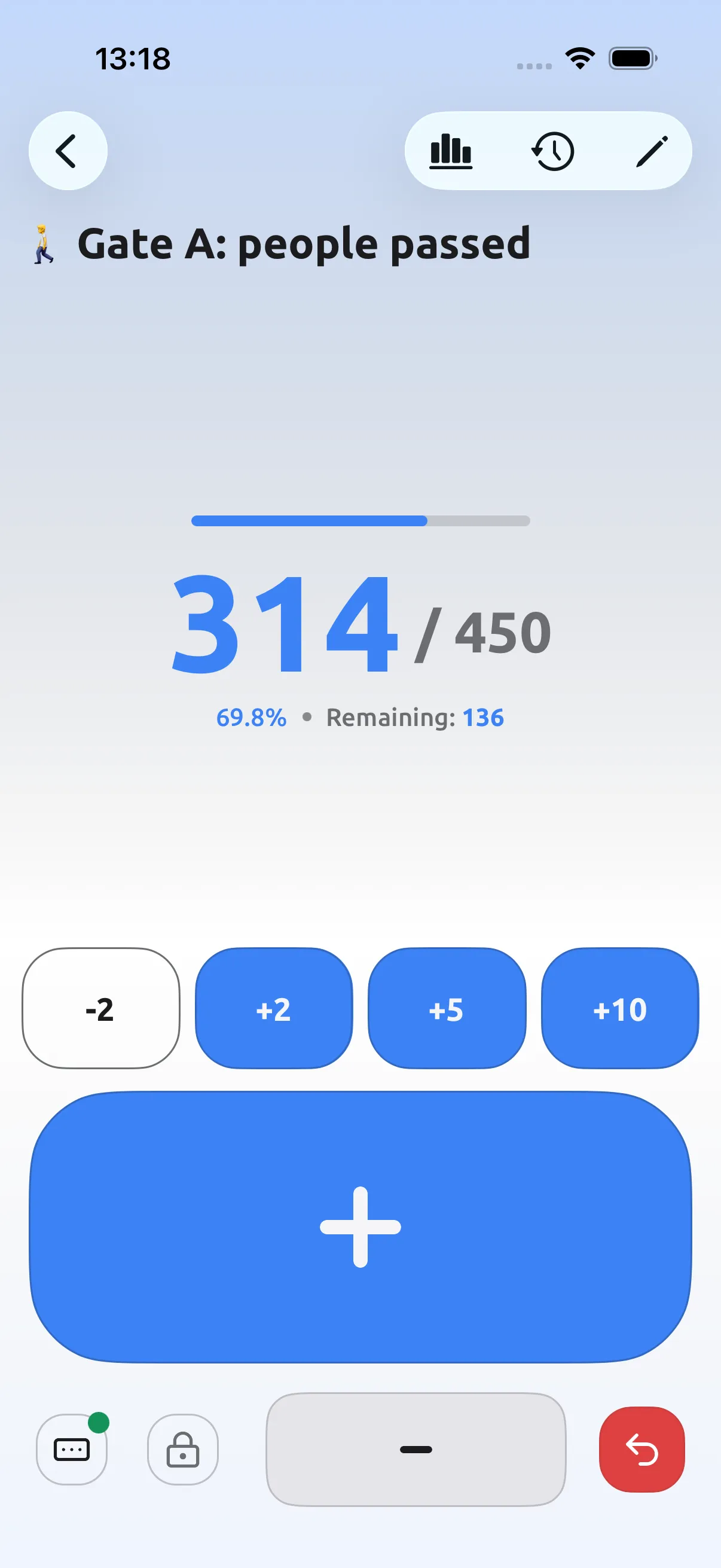
Neither iPhone nor Android comes with a tally counter. Does iPhone have a built-in tally counter? covers the workarounds Apple’s own apps allow. A counter app turns the phone into one. In Tally Counter, the app behind this blog:
- Create a counter and tap to count. With step 1, each tap adds one, like a clicker. Make as many counters as you need, each with its own name, and group them in folders.
- Take one back. The minus button removes a mistaken tap, and the history keeps both, each with its time.
- Count without looking at the screen. With volume-button counting on, volume up adds one and volume down subtracts one while that counter is open on screen. It does not work with the phone locked. A Home Screen widget adds a count with a tap, without opening the app, and the Apple Watch app counts from your wrist.
- Keep a record. Every tap goes into the history with its time, and you can export it to CSV for free. Premium adds statistics, reminders, history notes and PDF export.
Common questions
What is the highest number on a tally counter? A mechanical counter with four number wheels counts to 9999. What the next press does depends on the model, so check its leaflet, or write the count down and reset before you reach it.
How do you reset a tally counter? On a mechanical one, turn the knob on the side until the window shows 0000. On a digital one, press its reset button. Write the number down first, because neither kind keeps it after a reset.
Can a tally counter count backwards? The usual one-button mechanical clicker cannot; it only adds. Some digital counters have a button to subtract, and counter apps let you take a tap back.
What else is a tally counter called? A clicker, a hand counter, a hand tally, a people counter or a head counter. Knitters call theirs a row counter.
Is there a tally counter on my phone? Not built in. The iPhone has none, and neither does Apple Watch. Android has none either; how to choose the best tally counter app for Android lists what to check before you rely on one.
Try it on the next thing you count
If a clicker already does the job, keep it. If you need more than one number, a time on each count or a way to undo a slip, get Tally Counter for iPhone and Android, or see the features.